
RDMO
What is RDMO?
RDMO stands for Research Data Management Organizer. RDMO is a web application used to create data management plans (DMPs). It offers various questionnaires that guide users through the process with questions, accompanying information, and examples. The questions cover generic issues that usually arise when dealing with research data and its management.
RDMO was developed by AIP, KIT, and FH Potsdam as part of a DFG project.
How do I start?
After logging in, you can either create a new project or ask the manager or owner of an existing project to add you to the project group. In order to join a project, the administrators need to know your username or email address.
If you start a new project, you will need to choose a title and description, as well as select a questionnaire. The questionnaire determines which topics will be covered and to what extent. You can change the chosen questionnaire later; however, this requires reworking some of the answers, and some of the work invested in the old questionnaire will be lost.
For more information on the different questionnaires, see below.
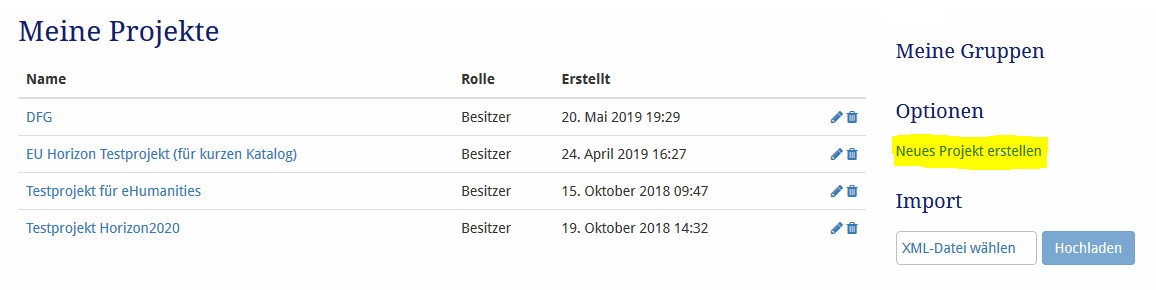
This short video shows how to start a new project and use a DMP catalog in the RDMO project.
What are the different questionnaires used for?
The FAU RDMO installation currently offers:
- RDMO standard questionnaire, name: RDMO
This is the basic questionnaire provided by the RDMO development team. It covers all major topics in data management, and is quite detailed. Since the questionnaire was not designed with a specific subject or discipline in mind, some aspects are only addressed briefly.
This questionnaire is suitable for planning data management at the start of a project, or ideally, before its start. - RDMO questionnaire with additional information for the humanities. name: RDMO with information for humanities
The questions are almost identical to those in the standard RDMO catalog. Some of the questions will provide additional information or examples for the humanities. - Catalogue for Horizon 2020 projects, Name: Horizon 2020 Catalogue
This questionnaire follows the ERC’s guidelines and templates for H2020 projects. Additional information and recommendations are provided that are not part of the H2020 questionnaire. However, all questions are taken directly from the official ERC templates. Therefore, it is recommended that you use the English version. You will need to change the language to English. - A DMP template for DFG project / grant applications, DFG grants
It collects the DFG requirements/recommendations mentioned in the application guidelines, as well as the discipline-independent “Guidelines for Research Data.” The questionnaire can be used for standard DFG projects and CRC proposals.
Note: Some disciplines must consider additional requirements (see the DFG’s discipline-specific guidelines). This applies in particular to the following disciplines: edition science, (corpus) linguistics, educational sciences, die economic sciences, psychology and biodiversity research. Currently, only some of these requirements are included in the questionnaire.
However, the number of discipline-specific DFG questionnaires is growing. Each has a name in the format DFG grants (DISCIPLINE) and covers the most important DFG requirements for a specific discipline. Please also refer to the linked guidelines. The DFG frequently updates these.
Note that some disciplines have tailored DMP tools. For example, consider using DataWiz, a tool developed by the Leibniz Center for Psychological Information and Documentation, for psychology projects, and the GFBio DMPT for biodiversity research projects. DataWiz, in particular, addresses the intricacies of psychological research projects in far more detail than RDMO.
How can one collaborate on a data management plan?
First, all participants must have an RDMO account. Then, one of the team members (the owner) must set up the project. The owner can then add additional group members. The owner needs either the email address or username of each group member.
The owner can assign a status to each group member. Guests can read the DMP but cannot edit it or change the settings. Authors can write new text and edit responses. Users with manager status have nearly the same permissions as the project owner. They can create snapshots, modify project information, and so on, but they cannot delete the project.
None of the questionnaires are suitable for the project. What should we do now?
If none of the catalogues are useful, you can check out the tools offered by some larger research organizations:
- DataWiz, Leibniz-Zentrum für Psychologische Information: The tools is very good for planning data management in psychology. To be honest, it is better suited for psychology and related disciplines the current FAU RDMO installation.
- GFBio DMPT for biodiversity research: The tool can also be useful for related (biological) sciences.
- The Clarin-D Wizard works well for projects that deal with language in a broad sense. It is particularly useful if you already want to use a Clarin data centre for archiving / publishing the project data.
- If the DMP needs to comply with the rules of an Anglo-Saxon funding organization (or the project has Anglo-Saxon partners), the platforms DMPOnline (UK) and DMPTool (USA) will probably be useful.
Contact the FAU research data management team for assistance with a tailored DMP template for a large project.
What is a snapshot?
A snapshot creates a copy of the current project. A snapshot is frozen and cannot be edited. However, you can reset the project to the exact state of any existing snapshot. This is useful if you want to preserve the current state, such as when you want to document how the planning and state of the data management evolve over time. It is also useful if you want to make a substantial change to the DMP and want a backup.
Some funders, such as the ERC (H2020), expect to receive a new DMP after each project stage. Snapshots allow you to preserve the planning state while keeping the DMP a “living and changing” document.
What are tasks?
Some questions allow answers such as “Not yet” or “Unclear.” RDMO sometimes assigns tasks as reminders that something still needs to be done.